SHLDr – Healthcare & Emergency Services App
SHLDr brings essential healthcare services together in a single mobile application. The supplied screens showcase ambulance booking, location-based assistance, blood bank services, laboratory investigations and customer profile management through a user-friendly mobile interface.

About SHLDr Healthcare
The SHLDr mobile application provides a central interface for accessing multiple healthcare services. The home screen presents a location-based assistance area along with shortcuts to Ambulance, Lab Test and Blood Bank services. Customers can also access booking information and scheduled services from the application.
Key Application Areas
- Customer profile and account information
- Ambulance service selection and booking
- Location-based assistance interface
- Blood bank and donor services
- Laboratory tests and investigation packages
- Bookings and scheduled services
- Customer service navigation
- Healthcare information and assistance
Explore the SHLDr Mobile Application
An overview of the customer profile, blood bank, investigations, ambulance selection and home screen shown in the supplied designs.
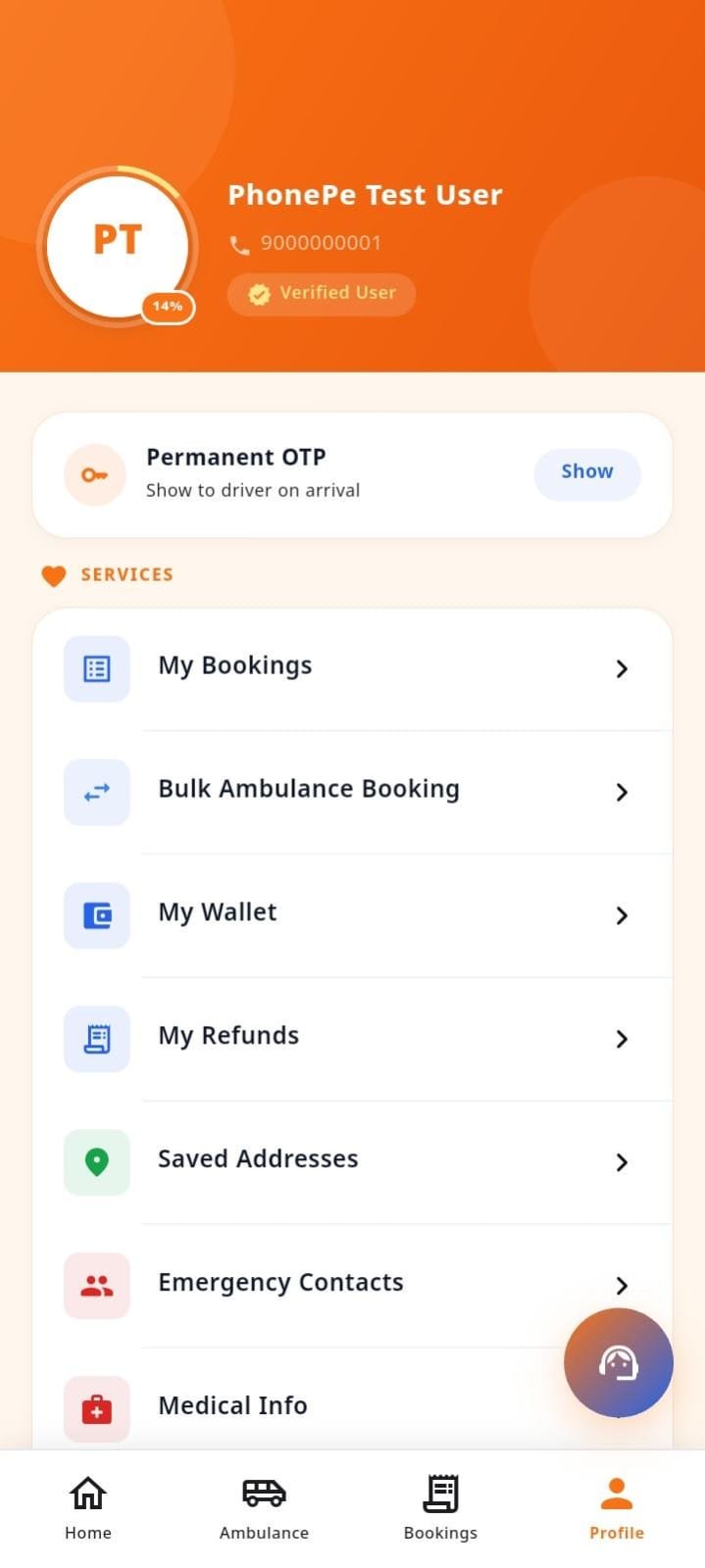
Customer Profile & Services
The customer profile screen displays the user's profile information, registered mobile number and verification status. A dedicated Permanent OTP section provides access to the code intended to be shown to the driver on arrival.
The Services section includes My Bookings, Bulk Ambulance Booking, My Wallet, My Refunds, Saved Addresses, Emergency Contacts and Medical Info. These options bring frequently used customer account features together in one organized interface.
CUSTOMER PROFILE & ACCOUNT SERVICES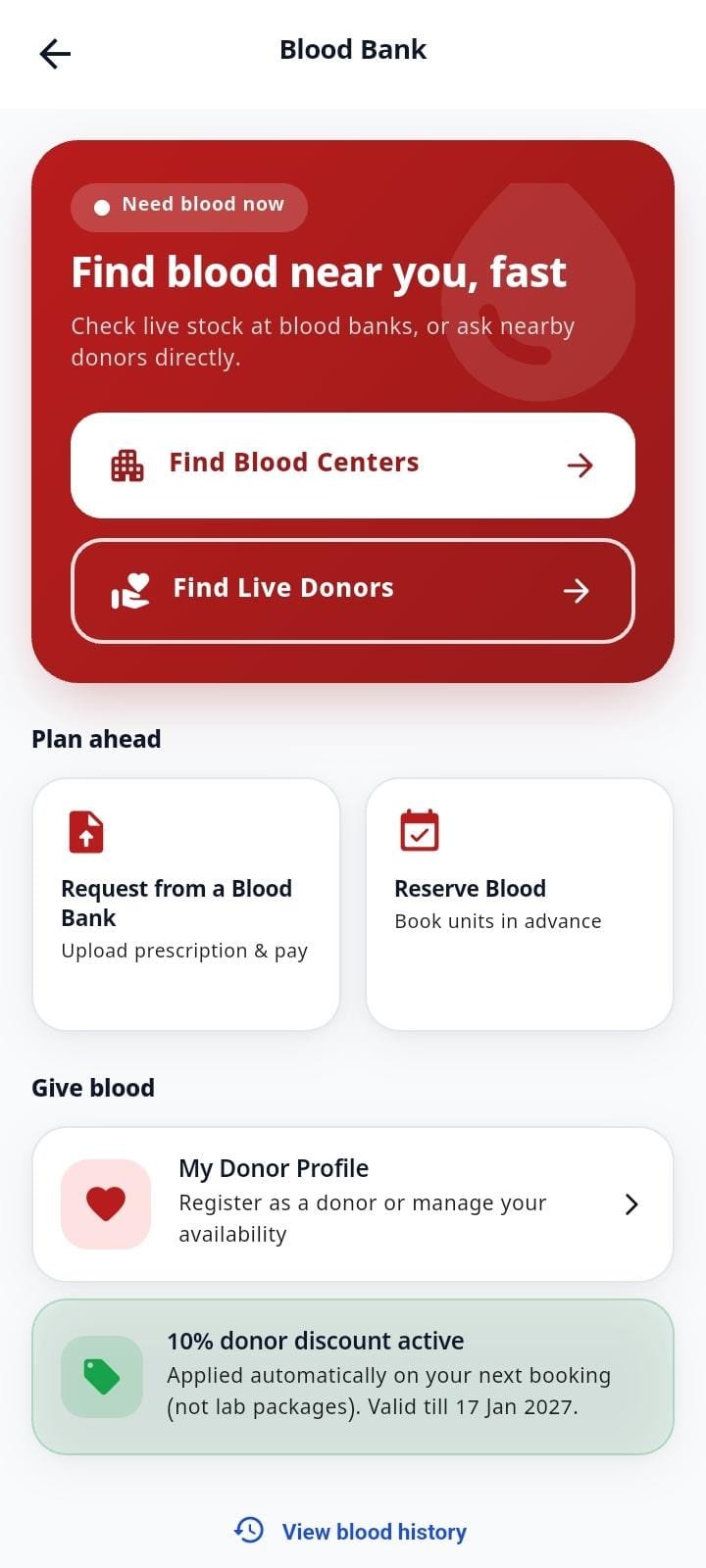
Blood Bank Services
The Blood Bank screen helps customers explore blood-related services. Its main panel highlights options to find nearby blood centers and find live donors, with a clear call to action for users seeking blood.
The Plan Ahead section provides Request from a Blood Bank and Reserve Blood options. Customers can also access My Donor Profile to manage donor availability and view blood history.
A discount information panel is displayed to communicate applicable donor benefits to the customer.
BLOOD BANK & DONOR ACCESS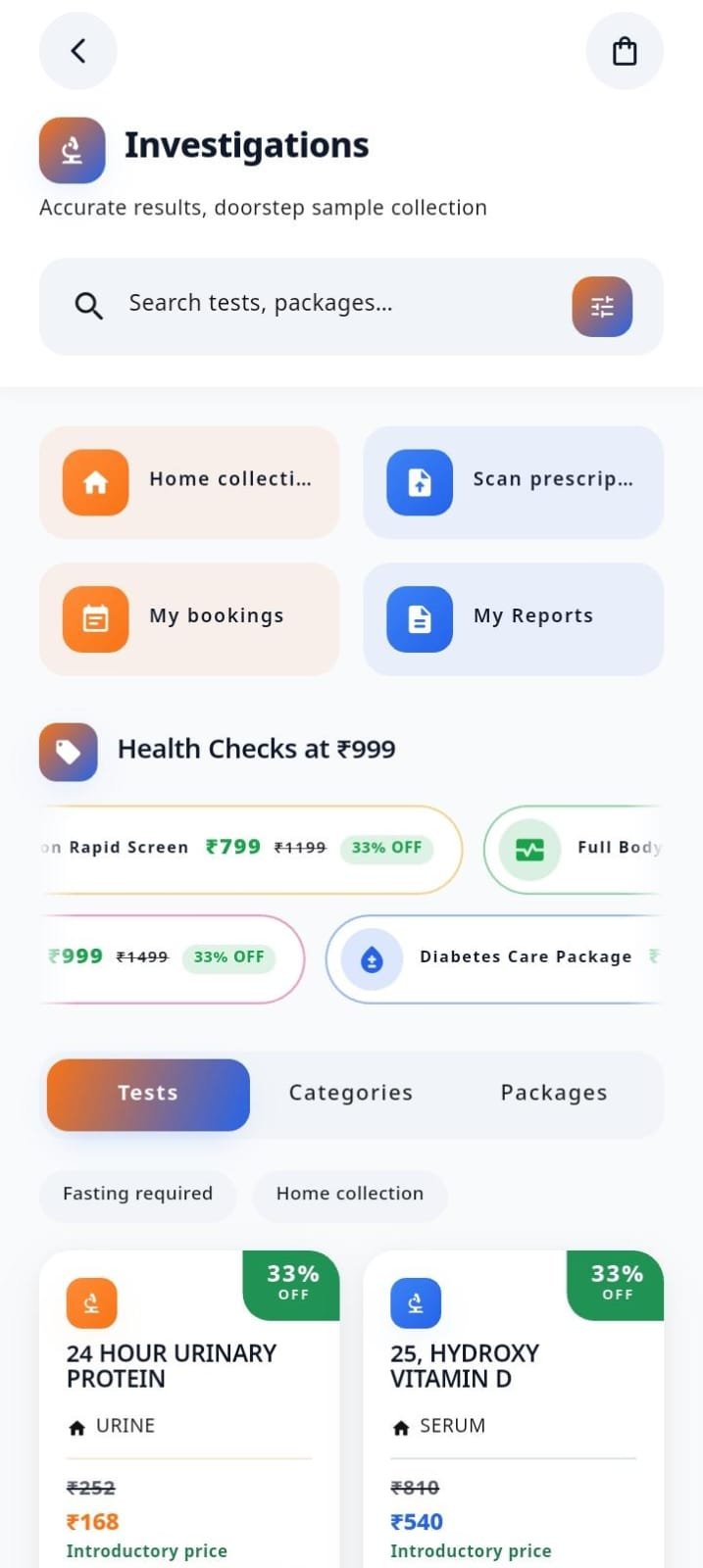
Laboratory Investigations
The Investigations screen presents laboratory testing services with a search field for tests and packages. Customers can access Home Collection, Scan Prescription, My Bookings and My Reports from the shortcut area.
Health check packages are highlighted with prices and discounts. The Tests, Categories and Packages tabs organize the available laboratory options, while additional filters identify services such as fasting requirements and home collection.
Individual test cards display test names, sample types, original prices, discounted prices and introductory pricing information where provided.
LAB TESTS & HEALTH PACKAGES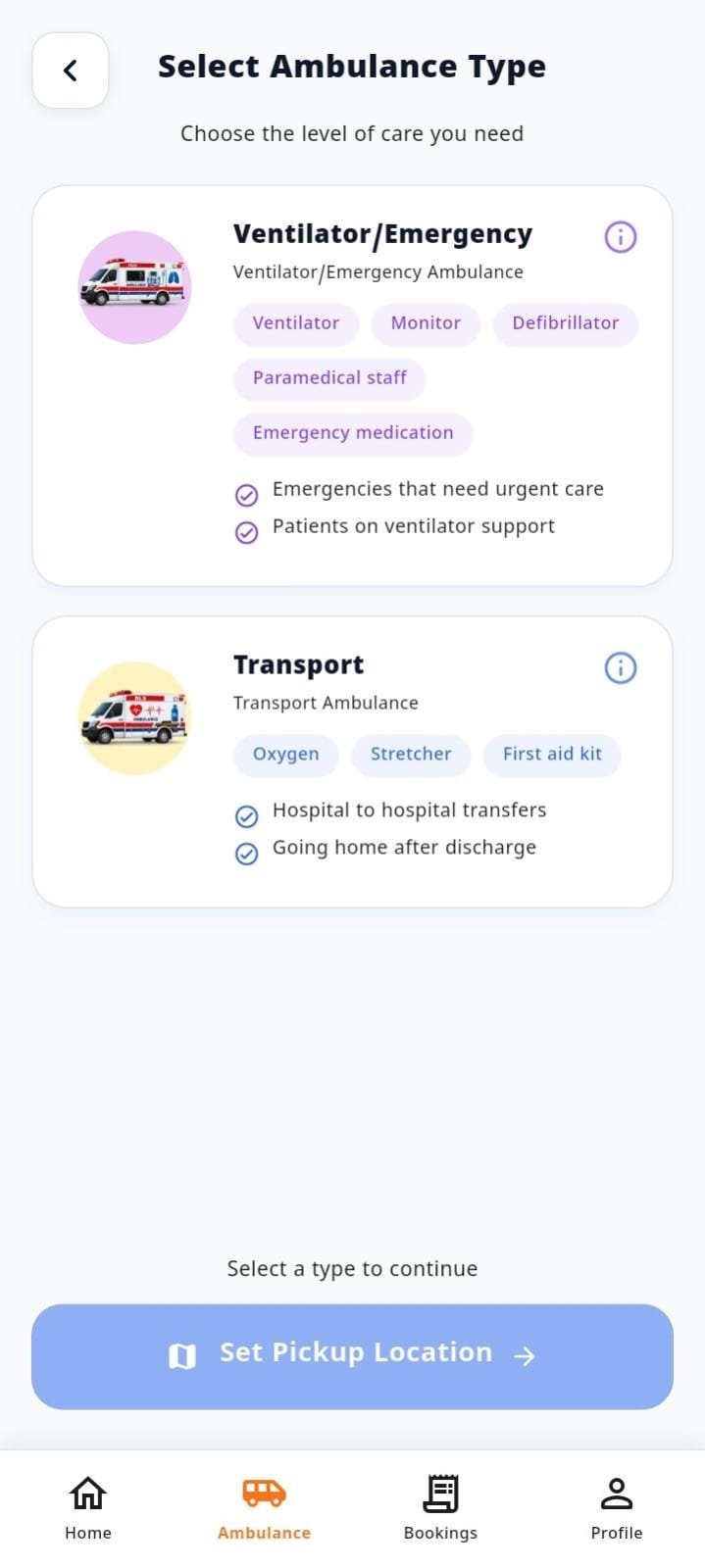
Ambulance Type Selection
The ambulance selection screen allows customers to choose an ambulance category according to the level of care required. The displayed options include Ventilator/Emergency Ambulance and Transport Ambulance.
The Ventilator/Emergency option lists equipment and resources such as a ventilator, monitor, defibrillator, paramedical staff and emergency medication. It is presented for emergencies requiring urgent care and patients needing ventilator support.
The Transport option lists oxygen, a stretcher and a first-aid kit, with examples including hospital transfers and travel home after discharge. After selecting a type, the customer can proceed to Set Pickup Location.
AMBULANCE CATEGORIES & PICKUP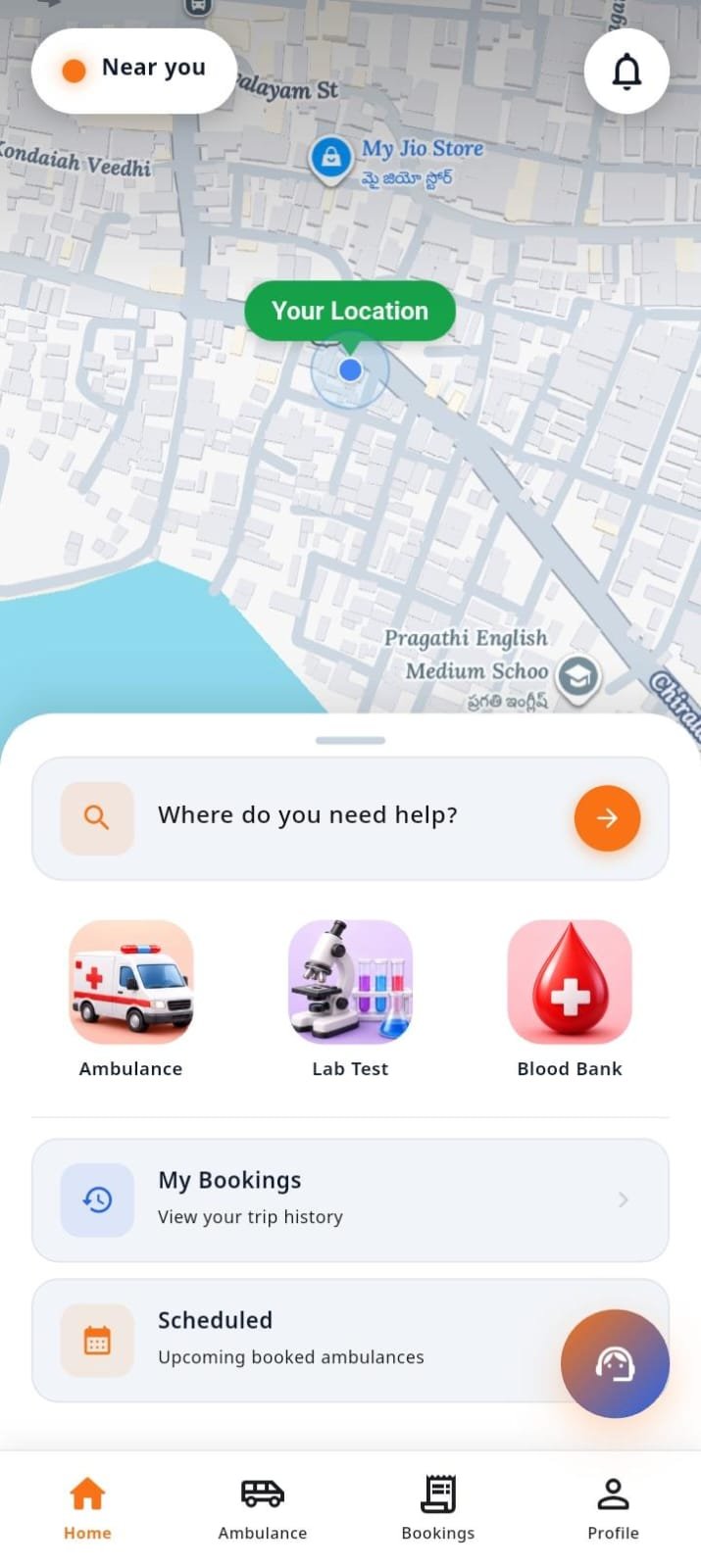
Home & Location-Based Services
The home screen features a map-based interface with a current-location indicator and a nearby-services label. Customers can use the location area to begin accessing assistance from the application.
A prominent search panel asks where help is needed. Below it, three service shortcuts provide direct access to Ambulance, Lab Test and Blood Bank.
The screen also includes My Bookings for viewing trip history and Scheduled for upcoming booked ambulances. A bottom navigation bar provides access to Home, Ambulance, Bookings and Profile.
HOME DASHBOARD & SERVICE NAVIGATIONWant to Know More About This Project?
Contact Atoms Software to learn more about the SHLDr healthcare mobile application and its ambulance, blood bank and laboratory service interfaces.